Plan · Learn · Track · Review
Your learning path — level by level, on your schedule.
A professional leveled course platform: curated video lessons organized into tracks, a placement test that finds your level, quizzes that gate each step, spaced review that beats forgetting — and a dashboard tracking it all. Chinese and English tracks are live today; more subjects on the way.
$20/month for the whole system — schedule, quizzes, review and progress tracking. A single hour of live tutoring costs more. See pricing →
Choose your track
Each track is a ladder of levels: take the placement test to find your starting point, then climb level by level — every lesson passed unlocks the next.
 Kids · 11 levels🐉
Chinese for Kids
The complete reading ladder for young learners: master pinyin sounds, meet your first characters, then unlock whole character families — one level at a time.
 Kids · 2 levels🔤
English for Kids
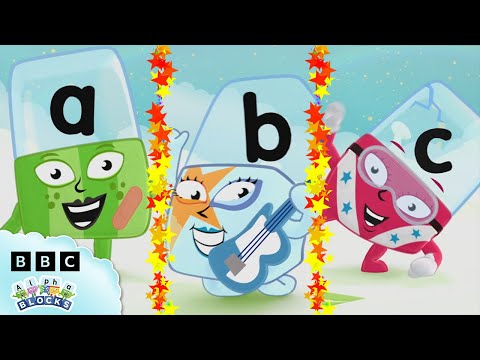
Learn to read English from the very first sound: master phonics with the BBC's Alphablocks, then the 26 most common sight words — the fast lane to reading first books.
 Adults & Teens · 2 levels🗣️
English Speaking
Speak English from day one with BBC Learning English's Easy English Conversations — fresh 2026 episodes, real dialogues, one everyday topic per class.
 Adults & Teens · 1 level🏛️
TOEFL Prep
Structured TOEFL preparation with TST Prep: section-by-section strategies and full practice tests — the study-abroad gateway, one level at a time.
 Adults & Teens · 2 levels🎓
GRE Prep
The complete GRE Ninja course: Verbal reasoning and AWA first, then the full Quant toolkit — strategy-first prep for the graduate school exam.
 Adults & Teens · 1 level💬
Chinese for Adults & Teens
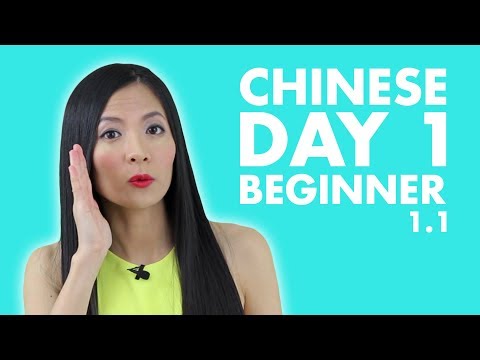
From absolute zero to your first real conversation — the HSK 1 course for parents and teens learning alongside the kids. Higher HSK levels are on the way.
How a class works
🚪
1. Enter class
Pick your series, open the next unlocked lesson and see what today's class covers.
📺
2. Watch — no skipping
The lesson video plays in classroom mode: pause and rewind are fine, fast-forward is off.
📖
3. Review the words
Every new character and sound is listed with pinyin and meaning before the quiz.
⏱️
4. Beat the quiz
A timed quiz checks what stuck. Score 80%+ and the next lesson unlocks!
Frequently asked questions
Are the courses really free?+
Yes. All series, video classes and quizzes are free, with no account or signup required. Progress is saved automatically in your browser.
What is “immersive classroom mode”?+
In immersive tracks, the class plays like a real lesson: the video cannot be fast-forwarded (rewinding is allowed), and the quiz runs on a timer. It keeps learners focused and makes sure the material is actually watched.
Which track should I start with?+
Take the free placement test on any track — it finds your level and unlocks the right starting point. Without a test, every track starts from its first level.
Why are later lessons locked?+
Each lesson builds on the previous one, so the next lesson unlocks when you score 80% or more on the current quiz. Quizzes can be retaken as many times as needed.
Where do the videos come from?+
Classes embed kid-friendly teaching videos from YouTube channels using YouTube's standard embed player, wrapped in our classroom controls.
Will we lose our progress?+
Progress is stored in your browser (localStorage). It persists between visits on the same device and browser, but clearing site data or switching devices resets it.